


Kids Telling Time
4.212.00 Reviews
App Specs
- Version
- 1.2.10
- Updated On
- License
- $1.99
- Downloads
- 10,000+
- Developer
- Intellijoy Educational Games for Kids
- Categories
- Educational
- Platform
- Android
Screenshots
 Analysis by AppCompare
Learning to read a clock can feel abstract when a child is moving between numbers, hands, and spoken phrases at the same time. Kids Telling Time takes a focused approach: it turns practice with digital and analog clocks into a small educational game rather than a worksheet or a long lesson. I found that narrow focus useful because it keeps the child working on one skill instead of surrounding it with unrelated activities.
The game comes from Intellijoy Educational Games for Kids, a developer known for children’s learning titles. It is listed as an educational game for Everyone, and its price is $1.99. That makes it a fairly simple purchase decision for a parent who wants a dedicated clock-learning tool, although the limited subject matter also means it needs to match the child’s immediate learning goal.
How the clock world feels in use
I found the clock world most useful when treating each screen as a chance to slow down and explain, not just select an answer. Asking a child to point out the shorter hand before naming the time can uncover a misunderstanding that a quick correct guess would hide. That small habit also makes it easier to judge whether this focused practice suits the learner’s needs.
A clear first impression for young learners
My first impression is that the experience is intentionally direct. There is no need to learn a large fictional world or understand a complicated game system before practicing. The central idea is the clock itself, with digital displays and analog faces providing two different ways to recognize the same time. That clarity is important for children who are still learning that “three o’clock” and a particular arrangement of hands describe one identical moment.
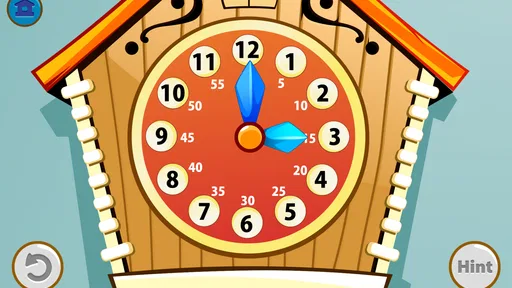
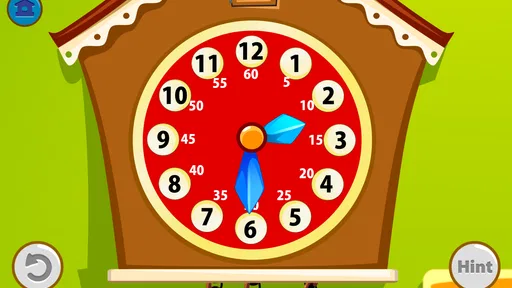
The visual language works best when the child is allowed to look before answering. An analog clock asks for attention to position and hand length, while a digital clock asks the child to interpret numerals. Moving between them gives the lesson a practical connection to everyday life. Children will eventually see both formats on household clocks, appliances, watches, phones, and school materials, so practicing both is more useful than concentrating on only one.
I would introduce it to a child who already recognizes some numbers but still confuses the hour hand with the minute hand. Rather than treating every mistake as a failure, I would use the screen as a prompt to ask, “Which hand tells us the hour?” That small pause turns an answer into a conversation. The game is more effective when an adult occasionally connects the visual exercise to a real clock nearby.
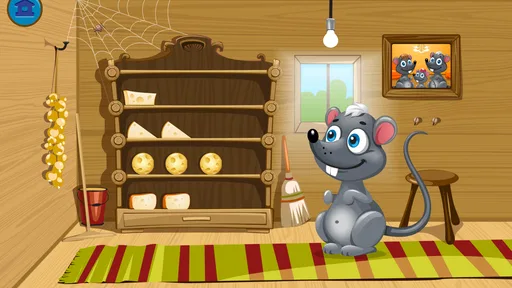
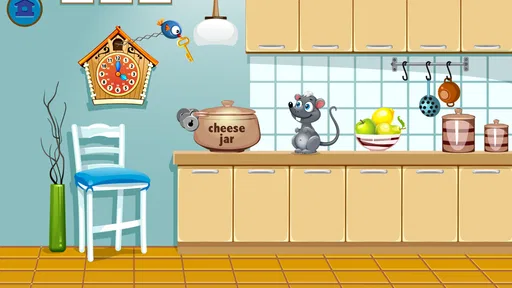
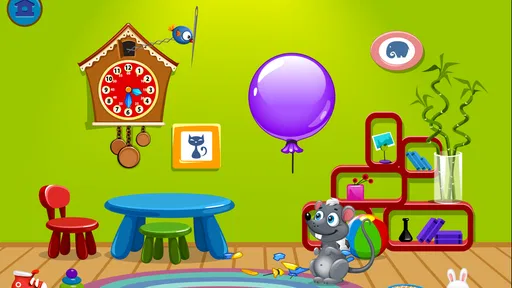
The presentation is not trying to create a dramatic adventure setting, and that is a strength here. The clock face remains the subject instead of becoming a prop hidden inside a busy scene. For a preschool or early-primary learner, reduced visual competition can make the difference between noticing the hands and simply tapping the most attractive object on screen.
Worth Reading Before You Choose

EA SPORTS FC Mobile 26 Is a Bigger Football Game, but It Takes Time

Flipboard Shows What News Apps Must Do Beyond the Feed

Switching to Android Auto Means Rethinking Your Driving Routine

Google Calendar Makes a Crowded Week Easier to Manage

Ludo King Makes the Most of the Minutes Between Plans

Baby Panda World Brings Quick Play to Modern Phones, but Its Game Library Feels Busy
Art direction that supports the lesson
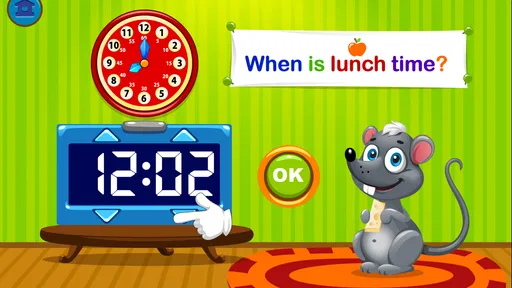
The art direction has a functional purpose: it makes the two clock formats easy to distinguish. Digital time is read as a compact numerical pattern, while analog time depends on the relationship between hands and markings. A child can therefore practice two kinds of visual decoding without needing a completely different game for each one.
That design also exposes an important learning trade-off. A digital display can be easier at first because the numbers appear plainly, but it does not automatically teach the child how an analog clock works. Conversely, an analog face can encourage stronger understanding of position and sequence, yet it may be frustrating for a child who has not learned the role of each hand. I would not rush through the digital exercises simply because they seem easier; I would use them as a bridge toward the analog ones.
One practical technique is to ask the child to say the time aloud before touching an answer. This prevents random tapping and reveals whether the problem is recognition or vocabulary. If the child sees the correct position but cannot say “half past” or “quarter to,” the next step is language practice. If the child uses the right phrase but chooses the wrong clock, the difficulty is more likely visual.
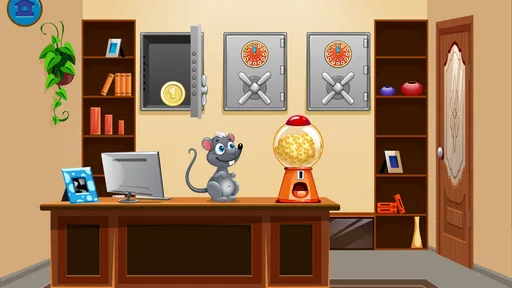
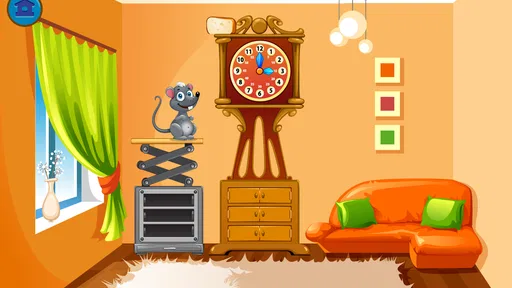
The setting stays close to the educational task, which gives the game a calm, almost tabletop quality. It feels less like a reward-based arcade title and more like a short practice station. That will appeal to families who want concentration, but children expecting characters, exploration, or a large collection of mini-games may find the environment restrained.
Sound, pacing, and the emotional tone
The pacing matters more than spectacle in a game like this. Telling time is a skill that benefits from repeated attempts, and a child needs enough space to inspect the clock rather than feeling pushed into a quick guess. I prefer using it in brief sessions, especially at the beginning, because the educational value comes from careful recognition rather than endurance.
The sound design should be understood as support rather than the main attraction. In a focused learning game, feedback has to tell the child that an action registered and whether the answer was successful without overpowering the visual information. The most coherent mood is therefore a quiet, encouraging one: the clock remains central, and the rhythm comes from question, observation, answer, and correction.
At home, I would use it during a transition that already has a natural time connection. For example, before leaving for school, a child could read a few clock examples and then compare one with the actual wall clock. Another useful moment is before bedtime, when an adult can ask the child to identify the current time and explain how the game’s clock differs from the real one. The short, focused format fits these moments better than a long play session.
There is also a pacing risk. If a child is allowed to tap rapidly without explaining the answer, the activity can become a guessing routine. I recommend placing the device on a table and asking the child to point first, name the hour, and then choose. That extra step slows the rhythm in a productive way. It also gives parents a clearer view of whether progress is genuine.
Why the mechanics fit the subject
The core mechanic is a good match for the lesson because the child must connect a representation with a time concept. Practicing both digital and analog clocks prevents a common weakness in educational apps: teaching recognition in one format and leaving the learner unprepared for another. The game’s narrow scope is therefore also its main educational advantage.
Still, it should not be mistaken for a complete course in time management. Reading a clock is only one part of understanding time. A child may still need help with duration, ordering events, calendars, schedules, and phrases such as “ten minutes earlier.” I would use this game to build the clock-reading foundation, then reinforce that knowledge with real routines rather than expecting the app to cover every related concept.
The game is particularly suitable for children who need repetition without feeling that they are completing a printed exercise. It can also help a parent identify a specific sticking point. If analog faces cause trouble while digital displays are comfortable, practice can focus on hand positions. If the child reads the hands correctly but struggles with the spoken answer, the adult can model the language outside the game.
Compared with a paper worksheet, the game offers a more responsive way to repeat the same kind of task and may feel less intimidating to a young learner. A worksheet, however, makes it easier for an adult to see the child’s reasoning on the page and add drawings or notes. Compared with a general children’s learning app, this title is more focused but less varied. A broad subscription service may provide stories, numbers, letters, and puzzles in one place, while this purchase is better when the immediate need is specifically clock practice.
Compared with simply using a real analog clock, the game gives a child repeated examples without waiting for the hands to reach a useful position. The real clock remains better for explaining why time moves and how a schedule works. I see the two approaches as complementary: the app supplies controlled practice, while daily life supplies meaning.
Who will get the most from it
I would recommend it to a parent, teacher, or caregiver working with a child who is beginning to distinguish digital and analog time. The Everyone age rating makes it approachable for a broad family audience, but the actual benefit depends on the child’s stage. A child who already reads both formats confidently may finish with little challenge, while a beginner can gain from the repetition.
It is also a sensible choice for adults who want a small, dedicated tool rather than an app packed with unrelated lessons. The current version is 1.2.10, and the minimum operating-system requirement is 7.1, so families using an older compatible device may still be able to consider it. I would check the device experience before handing it to a child, particularly if the screen is small, because clock hands and markings need to be easy to inspect.
The app is less suitable for a child who needs a highly animated reward structure to stay engaged. It is also not the best single choice for a learner who needs extensive accessibility support, advanced time concepts, or a full curriculum around mathematics. In those situations, a teacher-led activity, a broader educational platform, or a physical clock with movable hands may offer more flexibility.
Value, maturity, and practical expectations
The title has been available since October 3, 2014, and its current store presence shows an average rating of 4.2 from around a hundred ratings, with 10K+ installs. Those figures suggest a modest, established niche rather than a massive mainstream game. I would read that as evidence of a focused audience, not as a reason to expect a constantly expanding world of content.
At $1.99, the cost is easy to justify when a child is actively learning this skill and the family prefers a one-purpose tool. The trade-off is that the app’s value may decline once the child can read both clock types comfortably. Before buying, I would ask whether the child needs practice now, not whether the title could remain entertaining for months. It makes more sense as a targeted learning purchase than as an open-ended game.
One of my favorite ways to get value from it is to pair each short session with a real-world question. Ask what time dinner starts, how long remains before leaving, or which hand has moved since the last check. The app can provide the controlled visual examples, but the child learns to use the skill when the answer affects something familiar. This approach also reduces the chance that the child learns to solve only the game’s patterns.
Another useful routine is to alternate formats deliberately. Begin with a digital clock, ask the child to say the time, then show an analog clock representing it on the next turn. Afterward, reverse the process. This makes the connection between the formats explicit instead of letting the child treat them as unrelated puzzles. It is a small teaching adjustment, but it gives the focused design more depth.
My atmosphere verdict
What holds the experience together is its consistency. The art keeps attention on the clock, the sound and feedback support a measured rhythm, and the mechanics stay close to the learning objective. Nothing about it needs to be loud or elaborate. Its playable mood is calm practice, which is exactly the right mood for a child who needs time to look, think, and try again.
I would recommend Kids Telling Time when the goal is to strengthen recognition of digital and analog clocks through short, repeatable activities. I would not choose it as a complete mathematics program or as a long-term entertainment game. Its best use is specific: let the child practice on the screen, discuss the answer, and then apply it to clocks and schedules in daily life.
For that purpose, the focused design feels honest and useful. The $1.99 price is reasonable for a child who is currently working on this exact skill, and the Everyone rating makes it easy to consider for family use. The main limitation is also clear: once clock reading becomes comfortable, there may be little reason to return. If that matches your child’s need today, this is a compact learning game I would feel comfortable recommending to a friend.
Pros
- Colorful visuals make learning time more engaging for young children.
- Covers both analog clocks and digital time displays.
- Simple controls are suitable for early learners.
- Practice activities help reinforce recognition of hours and minutes.
- Useful for short
- independent learning sessions at home.
Cons
- Some children may find the exercises repetitive after extended use.
- Difficulty options may not suit every child’s learning pace.
- Requires basic number knowledge before children can use it confidently.
- Limited appeal for older children who already read clocks well.
- A parent may need to explain unfamiliar time concepts at first.
FAQs for Kids Telling Time
What is Kids Telling Time, and what does it teach?
Kids Telling Time is an educational app designed to help children learn how to read and understand clocks. It typically introduces the hour hand, minute hand, digital time, and common expressions such as o’clock, half past, quarter past, and quarter to. Lessons and practice activities are presented in a child-friendly way, making the learning process more approachable than traditional worksheets alone.
Is Kids Telling Time suitable for beginners?
Yes, the app is generally suitable for children who are beginning to learn about time, especially those who are becoming familiar with analog clocks. Its activities usually allow children to start with basic full-hour examples before moving toward minutes and more challenging exercises. Parents may still need to explain concepts such as counting by fives or the difference between the hour and minute hands.
Does Kids Telling Time work without an internet connection?
Many of the core learning activities in Kids Telling Time can usually be used offline once the app has been installed, which is convenient for travel, school breaks, or areas with limited connectivity. However, internet access may still be required for downloading the app, receiving updates, restoring purchases, or displaying certain advertisements, depending on the version and device settings.
Is Kids Telling Time free to download and use?
Kids Telling Time may be available as a free download, but the exact conditions can vary between the Android and iOS versions. Some editions may include advertisements, optional purchases, locked lessons, or premium features. Before downloading, parents should check the store listing for current pricing, in-app purchase details, privacy information, and whether the free version provides enough activities for their child’s learning needs.
Can parents use Kids Telling Time to track a child’s progress?
The amount of progress tracking depends on the specific version of Kids Telling Time. Some versions focus mainly on independent practice and immediate feedback, while others may include scores, levels, or completion indicators. Parents should review the available settings after installation and use the app alongside real clocks and everyday routines, since practical practice helps children apply what they learn on screen.


